

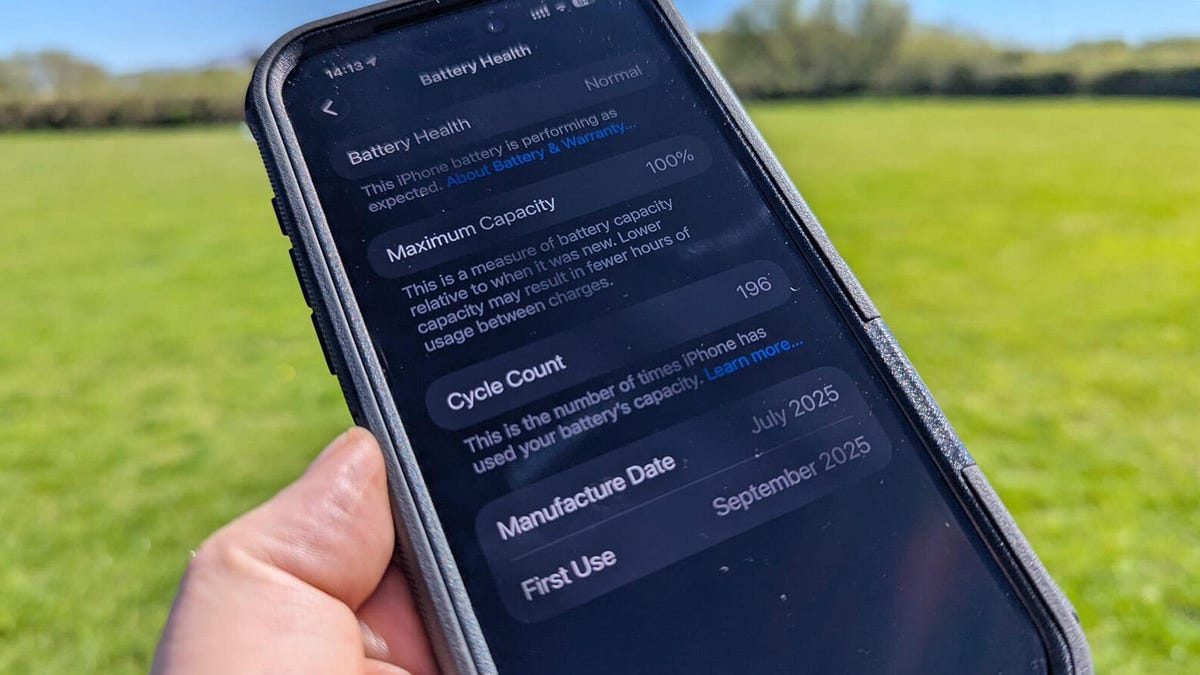
Last month, I stared at my iPhone 14 Pro’s battery settings in disbelief: my battery health had dropped to 82% in just 10 months of regular use.
I wasn’t a power user—I didn’t game for hours, I kept my screen brightness low, and I avoided extreme temperatures. The only thing I was doing “wrong” was a habit I’d had since I got my first smartphone: leaving my phone plugged in overnight to wake up to a full 100% charge.
It turns out this common, convenient habit was quietly destroying my iPhone’s battery health. After researching and changing my routine, I’ve not only stopped the rapid degradation but also extended my daily battery life. Here’s what you need to know about this harmful charging habit, and how to fix it.
What Is the Harmful Charging Habit?
The habit in question is overnight charging to 100%—plugging your iPhone in before bed, leaving it connected for 6-8 hours, and unplugging it only when you wake up.
It feels harmless: you wake up with a full battery, so you’re ready for the day. But for lithium-ion batteries (the type used in all modern iPhones), this is one of the worst things you can do.
Why Overnight Charging Damages Your iPhone Battery
Lithium-ion batteries degrade faster when held at maximum charge for long periods. Here’s the science behind it:
- Constant 100% charge: When your battery hits 100%, your iPhone switches to trickle charging to keep it full. This keeps the battery in a high-stress state that accelerates chemical wear.
- Heat buildup: Charging generates heat, and leaving your phone plugged in under a pillow, on a bed, or in a case traps that heat. High temperatures are the #1 enemy of battery health.
- Charge cycles: Each time you discharge and recharge 100% of your battery counts as one charge cycle. Overnight charging adds unnecessary mini-cycles as your phone trickle charges, eating through your limited cycle count faster.
Apple officially states that iPhone batteries are designed to retain up to 80% of their original capacity at 500 complete charge cycles. Overnight charging can cut that cycle life in half.
How This Habit Was Destroying My iPhone
Before I stopped overnight charging, I noticed three clear red flags:
- My battery health dropped 5% in 3 months—far faster than the average 1% per month.
- My phone felt warm to the touch every morning, even when I wasn’t using it overnight.
- I was getting 4-5 hours of screen time per charge, down from 7 hours when I first bought the phone.
I thought I was taking care of my battery, but this one habit was undoing all my other efforts.
How I Broke the Habit (and Fixed My Battery Health)
Stopping overnight charging was harder than I thought—after years of doing it, it felt weird to not have a full battery in the morning. But these four changes made it easy:
1. Turn On Optimized Battery Charging
Apple’s built-in Optimized Battery Charging feature learns your charging routine and delays charging past 80% until you need it. To turn it on:
- Go to Settings > Battery > Battery Health & Charging
- Toggle on Optimized Battery Charging
This alone stops your phone from sitting at 100% for hours overnight, but it’s not a perfect fix if you charge for 8+ hours.
2. Cap Charges at 80%
Lithium-ion batteries are happiest between 20% and 80% charge. I now unplug my phone when it hits 80%, or use a cheap smart plug with a timer to cut power at 80% if I do charge overnight (rarely).
3. Charge During the Day Instead
I now top up my battery during short breaks: 15 minutes while I make coffee, 30 minutes while I watch TV. These small top-ups avoid deep discharges and keep my battery in the optimal 20-80% range.
4. Keep Your Phone Cool While Charging
Remove your phone’s case while charging, and never charge it under a pillow, blanket, or mattress. If your phone feels warm, unplug it and let it cool down before resuming charging.
Other Charging Habits to Avoid
Overnight charging isn’t the only habit hurting your iPhone battery. Steer clear of these common mistakes:
- Using uncertified third-party chargers or cables (look for the MFi certification logo)
- Letting your battery drop to 0% regularly (this stresses the battery as much as overcharging)
- Gaming or streaming video while charging (this generates excess heat that damages the battery)
- Charging in direct sunlight or hot cars
My Results After 2 Months
It’s been 8 weeks since I stopped overnight charging, and the results are clear:
- My battery health has stayed at 82% (no further drops)
- I get 6.5-7 hours of screen time per charge again
- My phone never feels warm while charging, even when I top up during the day
I’ll admit: the first week was tough. I panicked a few times when my battery hit 30% by mid-afternoon. But now that I’m used to daytime top-ups, I’ll never go back to overnight charging.
Final Takeaway
You don’t need to buy a new battery or replace your iPhone early to get better battery life. Small changes to your charging habits—starting with cutting overnight charging—can add months to your battery’s lifespan, and save you hundreds of dollars in repair costs down the line.
Check your charging routine today: are you guilty of overnight charging? Drop a comment below if you’re going to try breaking the habit!

Comments are closed, but trackbacks and pingbacks are open.